💰 Make Money Online
🤖 AI & Future Opportunities
✍️ Content & Audience Growth
📈 Marketing & Sales
🛠 Products & Services
🧠 Foundations & Mindset
🏆 Real-World Proof

💰 Make Money Online
🤖 AI & Future Opportunities
✍️ Content & Audience Growth
📈 Marketing & Sales
🛠 Products & Services
🧠 Foundations & Mindset
🏆 Real-World Proof

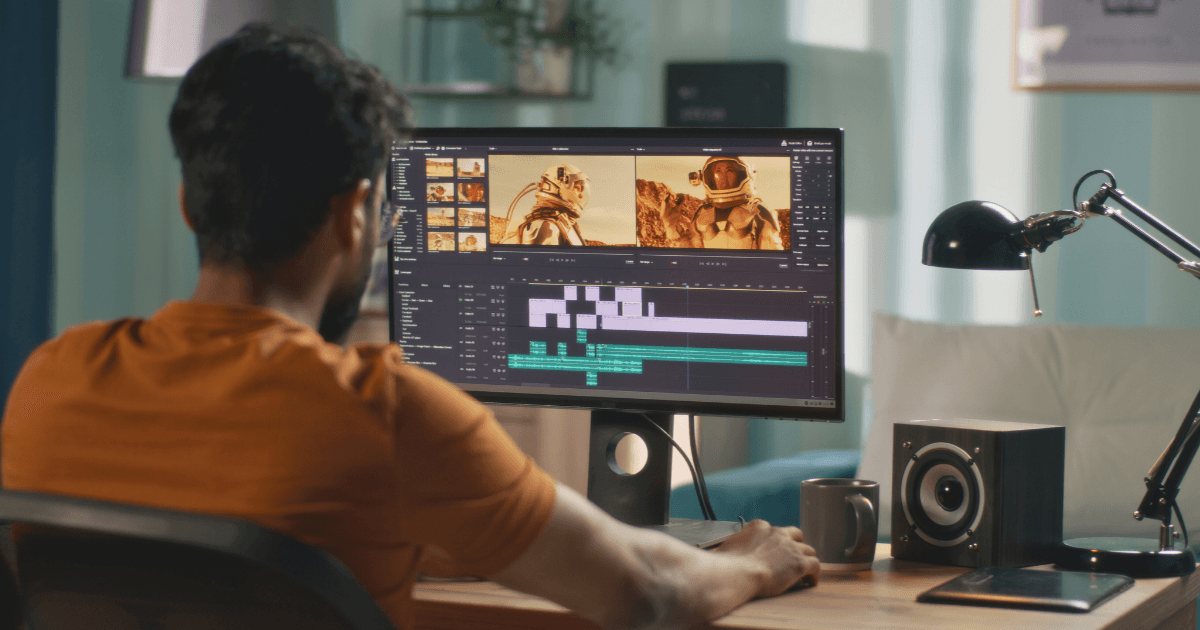
The digital content revolution has created unprecedented demand for video editing skills. According to Upwork’s 2025 Skills Index, video editing ranks among the top 15 most in-demand digital skills, with freelance rates ranging from $25 to $150+ per hour. This represents a significant opportunity for those willing to master this technical craft—even without prior experience.
This comprehensive guide outlines a psychologically optimized learning path that transforms complete beginners into marketable video editing professionals in just 60 days. By leveraging principles of accelerated skill acquisition and strategic positioning, you’ll develop both the technical proficiency and business acumen necessary to generate income from your new skills.
Before diving into the technical aspects, it’s essential to understand the psychological framework that enables accelerated learning. Research from the Journal of Expertise demonstrates that deliberate practice—focused, structured learning with immediate feedback—significantly outperforms casual exposure or unstructured practice.
The 60-day framework leverages three key psychological principles:
Rather than marathon learning sessions, this program utilizes distributed practice—shorter, more frequent learning blocks that enhance retention. Studies show this approach improves long-term skill retention by 200% compared to cramming.
Each week centers around completing specific projects that apply new skills in practical contexts. This approach activates multiple learning pathways in the brain, enhancing both comprehension and retention.
The curriculum systematically increases in difficulty, maintaining the optimal psychological state of “flow”—where challenges match developing skills. This balance prevents both boredom (challenges too easy) and frustration (challenges too difficult).
With this psychological foundation established, let’s examine the comprehensive 60-day roadmap.
The first critical decision is selecting your editing software. While many options exist, three stand out for different reasons:
Recommendation: DaVinci Resolve offers the optimal balance of professional capability and accessibility for beginners. Its free version provides all the tools needed to reach a professional level without initial investment.
Action Steps:
Master the fundamental concepts that underpin all video editing, regardless of software:
Technical Foundations:
Essential Operations:
Learning Resources:
Project #1: Simple Compilation Create a 30-second compilation of stock footage with basic cuts, a title, and background music.
Learn the psychological principles behind effective video storytelling:
Core Concepts:
Technical Skills:
Project #2: 60-Second Story Create a one-minute narrative using free stock footage that conveys a simple story with a beginning, middle, and end.
Master the rhythmic and pacing elements that distinguish amateur from professional editing:
Core Concepts:
Technical Skills:
Project #3: Music Video Edit Re-edit an existing music video clip (many artists provide footage specifically for practice) to match a different song, focusing on rhythm and visual flow.
Develop the color grading skills that instantly elevate amateur footage:
Core Concepts:
Technical Skills:
Learning Resources:
Project #4: Style Reel Take a collection of disparate footage and create a cohesive 45-second reel with consistent color grading that establishes a specific mood.
Master the often-overlooked audio skills that separate amateur from professional work:
Core Concepts:
Technical Skills:
Learning Resources:
Project #5: Audio Rebuild Take a video clip with poor audio and completely rebuild its soundtrack, including dialogue enhancement, music, and sound effects.
Develop the graphic design skills that complement your editing capabilities:
Core Concepts:
Technical Skills:
Learning Resources:
Project #6: Channel Package Create a complete YouTube channel graphics package including animated intro, lower thirds, and end screen.
Learn techniques that expand your creative possibilities:
Core Concepts:
Technical Skills:
Project #7: Green Screen Composite Create a 30-second scene that incorporates green screen footage with a new background and additional visual elements.
Develop the efficiency required for professional work:
Core Concepts:
Technical Skills:
Project #8: Speed Challenge Re-edit a previous project with a 50% time constraint, focusing on efficiency and maintaining quality under pressure.
Identify and develop expertise in a specific video editing niche:
Potential Specializations:
Action Steps:
Project #9: Niche Analysis Create a 2-minute video that analyzes the editing techniques used in your chosen niche, with voice-over explanation of key stylistic elements.
Cultivate your unique editing voice while respecting genre conventions:
Core Concepts:
Action Steps:
Project #10: Style Reel Create a 90-second demo reel that showcases your emerging personal style while demonstrating technical proficiency.
Create the assets necessary to market your new skills:
Essential Portfolio Elements:
Action Steps:
Project #11: Portfolio Website Create a simple portfolio website using Wix, Squarespace, or WordPress to showcase your work.
Develop a systematic approach to finding and securing your first paying clients:
Client Acquisition Channels:
Strategic Positioning:
Project #12: Client Acquisition System Develop a complete client acquisition system including outreach templates, service packages, pricing structure, and follow-up processes.
Understanding the psychology of potential clients dramatically increases your success rate. Research from business psychology reveals that clients typically have three primary concerns when hiring creative professionals:
Clients fear wasting money on unsatisfactory results. Address this through:
Clients want work that elevates their brand or personal status. Emphasize:
Clients need to justify expenditure with tangible results. Focus on:
Developing an effective pricing strategy is crucial for new editors. Consider this tiered approach:
This graduated approach allows you to build confidence while steadily increasing your income as your skills develop.
One significant advantage of video editing as a side hustle is the relatively low startup costs compared to potential earnings. Here’s a minimalist approach to equipment:
Estimated Investment: $800-1,200 if purchasing a new system
The key insight: You can begin earning before investing in premium equipment, using initial income to fund strategic upgrades.
While this guide focuses on the first 60 days, your development as a video editor should continue along this trajectory:
The 60-day framework outlined in this guide leverages fundamental psychological principles of skill acquisition to compress what typically takes years into just two months of focused effort. By combining deliberate practice, project-based learning, and strategic client positioning, you can transform from complete novice to paid professional in a remarkably short timeframe.
The most significant insight from this approach is that technical skill alone is insufficient—success requires the integration of technical proficiency, business acumen, and psychological understanding of client needs. By developing all three dimensions simultaneously, you create a foundation for sustainable income and continuous growth.
Your journey to becoming a professional video editor begins not with purchasing expensive equipment or obtaining formal credentials, but with the systematic application of focused practice and strategic positioning. The 60-day roadmap provided here gives you the structure needed to transform interest into income—all that’s required is your committed execution.