💰 Make Money Online
🤖 AI & Future Opportunities
✍️ Content & Audience Growth
📈 Marketing & Sales
🛠 Products & Services
🧠 Foundations & Mindset
🏆 Real-World Proof

💰 Make Money Online
🤖 AI & Future Opportunities
✍️ Content & Audience Growth
📈 Marketing & Sales
🛠 Products & Services
🧠 Foundations & Mindset
🏆 Real-World Proof

Two years ago, I found myself in a familiar cycle: promising deadlines I couldn’t meet, working late to catch up, and still feeling perpetually behind. I blamed my work habits, my planning skills—everything except my actual tools.
Then my laptop died mid-project, forcing me to use my partner’s high-performance machine for a week. The difference was immediate and shocking. Tasks that normally took 20 minutes completed in 5. Applications that regularly froze now ran smoothly. My productivity nearly doubled overnight.
That experience triggered a complete rethinking of my hardware setup. Over the past two years, I’ve methodically tested and invested in devices that promised productivity improvements—keeping only those that delivered measurable results.
This isn’t about having the shiniest gadgets or the most expensive setup. It’s about the tools that provide genuine return on investment through reclaimed time, reduced frustration, and enhanced output.
Before diving into specific recommendations, it’s worth noting that the connection between hardware and productivity is well-documented. A Microsoft study found that employees with optimized hardware setups reported 37% higher productivity and 65% greater job satisfaction.
Similarly, research from Forrester calculated that every dollar invested in employee technology yields a $4.77 return through productivity gains.
With that foundation, let’s explore the devices that genuinely moved the needle for me.
My single biggest productivity leap came from upgrading my primary machine. I had been limping along with a five-year-old laptop, convincing myself it was “good enough.” It wasn’t.
The performance difference manifested in countless small ways:
While the upfront cost seemed high, the math was compelling: If I save just 30 minutes per workday (a conservative estimate), that’s 120 hours annually—or three full work weeks. At my hourly rate, the machine paid for itself in under four months.
Key Specs Worth Paying For:
After upgrading my primary machine, adding dual external monitors created the next significant productivity jump. Research from Jon Peddie Research indicates that multiple monitors increase productivity by 20-30%, and my experience confirms this.
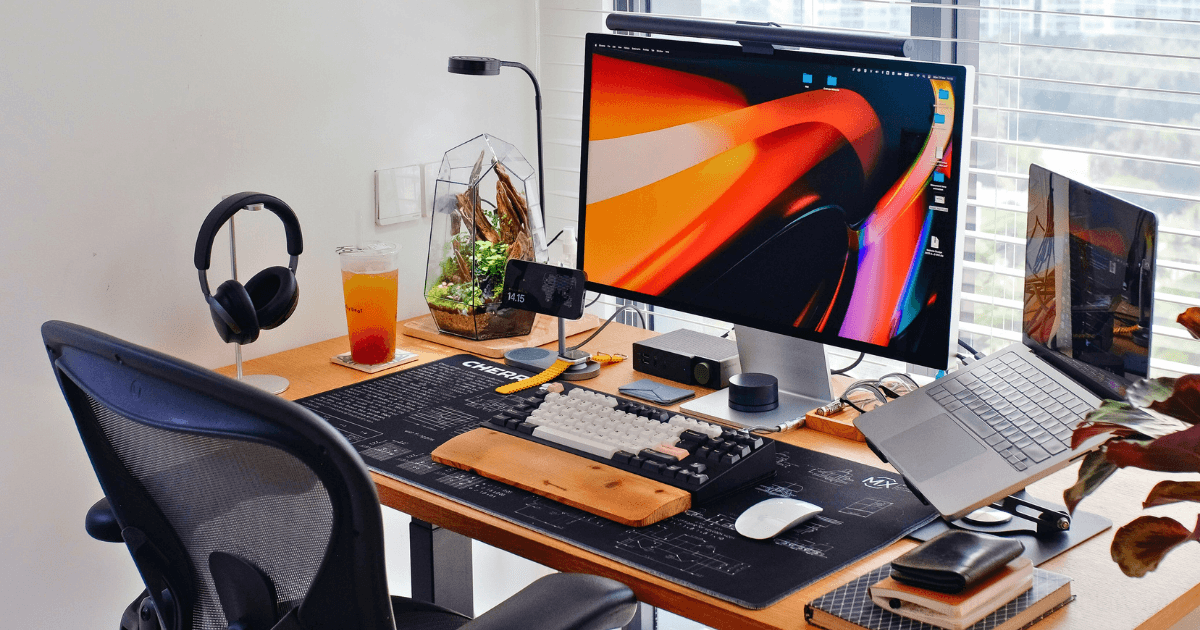
For my setup, I chose two identical 27″ QHD monitors rather than a single ultrawide or 4K display. This configuration provides:
I typically keep communication tools (email, Slack) on the left monitor and active work (documents, code, design) on the right. This separation eliminates constant window switching and helps maintain focus.
Monitor Mount: A dual-arm gas spring mount ($85) completed the setup, freeing desk space and allowing perfect positioning for ergonomic comfort.
Few productivity investments offer as much return per dollar as a quality keyboard. After trying several options, I settled on a mechanical keyboard with:
The productivity benefits came from:
For those concerned about noise, modern mechanical keyboards with tactile switches (rather than clicky ones) offer the benefits without disturbing others.
After developing early signs of repetitive strain injury from traditional mice, I switched to a trackball and never looked back. The Logitech MX Ergo offers:
Beyond the ergonomic benefits, the trackball improved my efficiency when working with detailed documents and spreadsheets. The ability to make precise movements without repositioning saved countless micro-moments that accumulate significantly over time.
No single device has improved my concentration more than quality noise-canceling headphones. Whether working from home, a coffee shop, or a noisy office, they create an instant bubble of focus.
After testing several models, I found the Sony WH-1000XM5 offered the best combination of:
The productivity impact comes not just from blocking distractions but from the psychological cue they provide. Putting them on has become a ritual that signals to my brain: “It’s focus time now.”
For those on tighter budgets, the Sony WH-CH720N ($149) offers about 80% of the performance at less than half the price.
After losing hours of work to a corrupted file (and nearly missing a deadline), I invested in a high-speed portable SSD for redundant backups and easy file transport.
The Samsung T7 offers:
Beyond backup security, the speed difference when working with large files directly from the drive has eliminated countless waiting periods. Video editing, in particular, became significantly more efficient.
The ability to switch between sitting and standing throughout the day has been transformative for my energy levels and focus. According to a study from Texas A&M University, standing desks can increase productivity by up to 46%.
Key features worth paying for:
I typically alternate between 45 minutes standing and 30 minutes sitting, which keeps energy levels consistent throughout the day and eliminates the mid-afternoon slump.
Proper lighting might seem like a small detail, but it has measurably extended my productive hours, especially during winter months. I invested in a BenQ ScreenBar that:
The ability to shift from energizing cool light during focused work to warmer tones during creative tasks has helped maintain productivity across different types of work.
While laptops excel at heavy lifting, a quality tablet with stylus support has filled productivity gaps I didn’t even realize existed:
The key was finding the right apps to create seamless workflows between devices. For document review, GoodNotes and PDF Expert have been game-changers, while Concepts transformed how I capture visual ideas.
Sometimes the smallest investments yield surprising returns. Smart plugs connected to my desk setup have created automated routines that:
Combined with simple automation through Home Assistant, these inexpensive devices eliminate dozens of small friction points throughout the day.
The psychological impact of a clean, organized workspace is well-documented, and proper cable management has been key to maintaining that environment. A combination of:
This system has eliminated the visual chaos that subtly drains attention and makes reconfiguring equipment much simpler.
If you’re considering upgrading your own productivity hardware, here’s the prioritization strategy I recommend based on return on investment:
Tallying the investments above reaches approximately $4,800—a significant sum, but one that has returned many times its value in productivity gains. Conservatively estimated, these tools have reclaimed over 500 hours of productive time annually—more than 12 full work weeks.
Beyond the quantifiable time savings, there are qualitative benefits that may be even more valuable:
The key insight from my journey isn’t that everyone needs the exact same tools, but rather that thoughtfully chosen hardware creates an environment where your skills and talents can flourish unimpeded by technical limitations.
What productivity-enhancing hardware has made the biggest difference in your work? Share your experiences in the comments below.