💰 Make Money Online
🤖 AI & Future Opportunities
✍️ Content & Audience Growth
📈 Marketing & Sales
🛠 Products & Services
🧠 Foundations & Mindset
🏆 Real-World Proof

💰 Make Money Online
🤖 AI & Future Opportunities
✍️ Content & Audience Growth
📈 Marketing & Sales
🛠 Products & Services
🧠 Foundations & Mindset
🏆 Real-World Proof

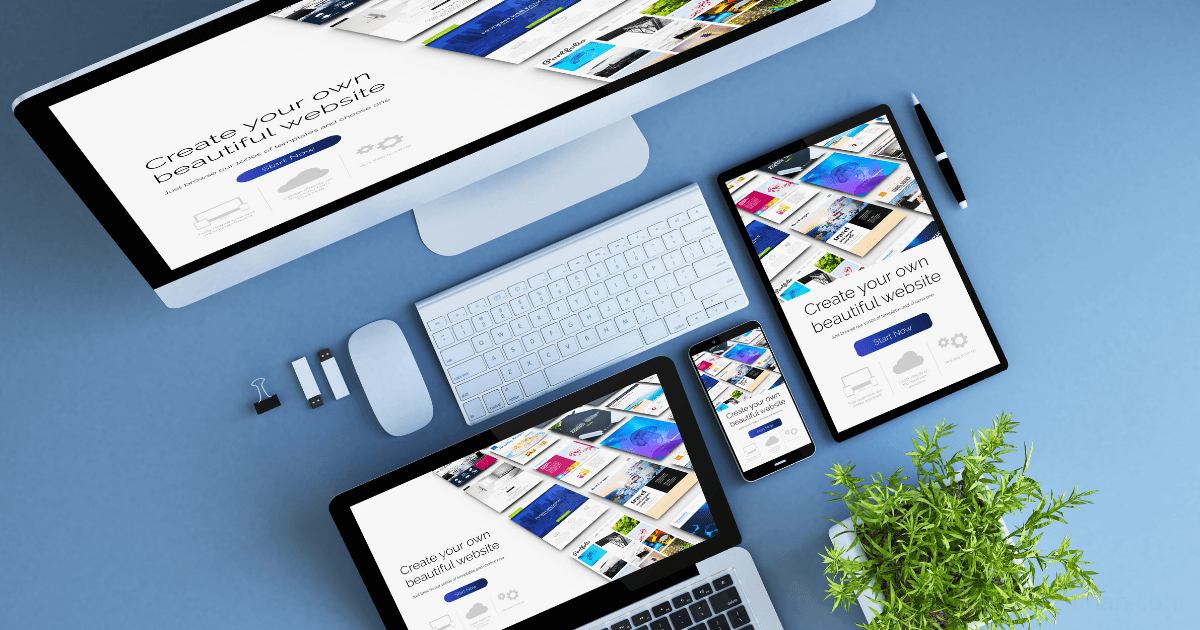
After years of recommending website builders to clients, I realized something was missing from my advice: firsthand experience building identical sites across multiple platforms. Sure, I’ve used most popular builders, but never with the same project requirements.
So I embarked on a 30-day experiment: building the same business website on five leading platforms—WordPress, Wix, Squarespace, Webflow, and Shopify. The goal? To determine which platform truly delivers the best balance of design flexibility, functionality, ease of use, and value.
This isn’t just theory—it’s a real-world test with measurable results that will help you avoid the costly mistake of choosing the wrong platform for your business.

To ensure a fair comparison, I established clear parameters:
Let’s dive into how each platform performed.
WordPress remains the dominant force in the website world, powering approximately 472 million websites. I chose to pair it with Elementor Pro, one of the most popular page builders.
Setup Process
WordPress required the most initial setup time. Unlike all-in-one platforms, I needed to:
The process wasn’t difficult, but it involved multiple accounts and systems—a stark contrast to the all-in-one solutions.
Design Experience
WordPress with Elementor offered unmatched design flexibility. I could:
The trade-off was complexity. While I could achieve virtually any design, the process involved navigating multiple interfaces—WordPress admin, Elementor editor, theme settings, and plugin configurations.
Performance Results
With proper optimization (caching, image compression, minimal plugins), WordPress performed admirably. However, achieving these results required additional configuration that wasn’t necessary on some other platforms.
Cost Breakdown
Building on WordPress felt like constructing with professional-grade tools. The platform provided tremendous power and flexibility, but required more technical knowledge and setup time.
Best suited for: Businesses that need complete customization, plan to scale significantly, or require specialized functionality not available on all-in-one platforms.
Wix has positioned itself as the user-friendly alternative to WordPress, with a focus on accessibility for non-technical users.
Setup Process
Wix offered a streamlined onboarding experience. After answering questions about my business type, I was presented with relevant templates. The all-in-one nature meant no separate hosting or domain configuration was required initially.
The ADI (Artificial Design Intelligence) option promised to build a site automatically based on my preferences, though I opted for the standard editor for a fair comparison.
Design Experience
Wix’s drag-and-drop editor lived up to its reputation for ease of use. I could:
However, I encountered limitations when attempting more advanced design techniques. The freedom to place elements anywhere sometimes led to responsive design issues that required manual fixes for mobile.
Performance Results
Wix sites typically lag in performance metrics, and my test confirmed this. While not dramatically slow, the platform’s architecture results in heavier pages that take longer to load, particularly on mobile devices.
According to Stuart Kerrs, Wix’s average page loading time is around 3 seconds, which aligns with my findings.
Cost Breakdown
Building on Wix felt like using a consumer-grade tool that prioritizes accessibility over power. The platform excelled at getting a decent-looking site up quickly but presented obstacles when implementing more custom designs or functionality.
Best suited for: Small businesses and entrepreneurs who prioritize ease of use and quick setup over advanced customization or optimal performance.
Squarespace has built its reputation on stunning designs and an integrated ecosystem that handles everything from hosting to e-commerce.
Setup Process
Squarespace’s onboarding was smooth, with an emphasis on template selection. The platform guided me through initial setup steps, and I was editing content within minutes. However, understanding Squarespace’s unique content block system took some adjustment.
Design Experience
Squarespace templates are undeniably beautiful, offering a level of polish that’s difficult to match out of the box. The design experience was characterized by:
The trade-off was flexibility. While Squarespace sites look great, they tend to have a recognizable “Squarespace look,” and deviating significantly from template designs proved challenging. According to Frogspark’s comparison, Squarespace scores 6/10 for design flexibility due to these template restrictions.
Performance Results
Squarespace performed surprisingly well in speed tests, outpacing Wix and nearly matching WordPress. The platform’s controlled environment and optimized templates contribute to this solid performance.
Cost Breakdown
Building on Squarespace felt like working with a design-focused template system. The platform excelled at creating visually impressive sites with minimal effort but imposed more restrictions on customization than WordPress or Webflow.
Best suited for: Design-conscious businesses that prioritize aesthetics and integrated features over deep customization.
Webflow positions itself as a professional-grade visual development tool, promising the control of custom code without requiring actual coding.
Setup Process
Webflow had the steepest learning curve of all platforms tested. The initial hours were spent understanding Webflow’s approach to web design, which mirrors professional development concepts like classes, parent-child relationships, and responsive breakpoints.
Design Experience
Once past the learning curve, Webflow offered remarkable design capabilities:
According to Loudface’s analysis, “Webflow offers full creative control with no reliance on templates,” which aligned with my experience.
Performance Results
Webflow delivered the best performance of all platforms tested. The clean code output and modern architecture resulted in exceptionally fast loading times and high performance scores.
Cost Breakdown
Building on Webflow felt like using professional design software. The platform delivered exceptional control and performance but required a significant time investment to learn. The visual development approach bridged the gap between no-code builders and custom development.
Best suited for: Design agencies, professional marketers, and businesses that need advanced design capabilities without custom development.
While primarily an e-commerce platform, Shopify is increasingly used for business websites that may add online selling later.
Setup Process
Shopify’s onboarding is tailored for online stores, which created some initial friction when building a primarily content-based site. However, once familiar with the system, the process became more intuitive.
Design Experience
Shopify’s design system is built around themes that are primarily optimized for e-commerce:
Creating the consulting site required some workarounds, particularly for the services and blog sections. According to Frogspark’s research, Shopify scores 7/10 for design flexibility but requires knowledge of its unique Liquid coding language for significant design changes.
Performance Results
Shopify performed well in speed tests, benefiting from its optimized infrastructure designed to handle e-commerce traffic demands.
Cost Breakdown
Building a non-e-commerce site on Shopify felt somewhat like using a hammer to insert a screw—it works, but it’s not the optimal tool for the job. The platform excels at e-commerce but required workarounds for content-focused pages.
Best suited for: Businesses that plan to sell products online as a primary function, with content as a secondary consideration.
After building identical sites on all five platforms, here’s how they stack up across key criteria:
Beyond subjective assessments, I measured concrete performance metrics for each platform:
These metrics reveal significant performance differences that affect both user experience and search engine rankings.
One factor often overlooked in platform comparisons is the cost of switching if you outgrow your initial choice. According to Elegant Themes’ research, “Many website owners outgrow their first builder within 18 months.”
Here’s what I learned about platform lock-in:
This “exit cost” should be a significant consideration in your decision. Platforms with high lock-in effectively add an invisible cost to your initial choice.
After this comprehensive comparison, I’ve developed a framework for matching business types to the ideal platform:
Recommendation: Squarespace
Recommendation: WordPress
Recommendation: Webflow
Recommendation: Shopify
Recommendation: Wix
Based on my experiment, here’s a realistic timeline for getting your site live on each platform:
These timelines assume 2-3 hours of focused work per day and include content creation, design customization, and testing.
After 30 days of building identical sites across five platforms, there’s no single “best” platform—only the best platform for specific needs.
If I had to choose one platform with the best balance of flexibility, performance, and value: WordPress with Elementor Pro offers the most complete package for businesses serious about their online presence. The initial learning curve is offset by unlimited potential and true ownership of your digital assets.
However:
To apply this comparison to your specific situation:
Remember that the “right” platform is the one that meets your specific needs while providing room to grow—not necessarily the one with the most features or the lowest price tag.
Have you built sites on multiple platforms? Which one worked best for your specific needs? Share your experience in the comments below!